Import or add a recipe
Paste a supported recipe URL or add a recipe manually with ingredients, steps and nutrition information.
Pulse Recipes
Import and organize recipes, adjust servings, rate meals and track your meal history. Premium adds recipe-generated shopping lists and iCloud sync.
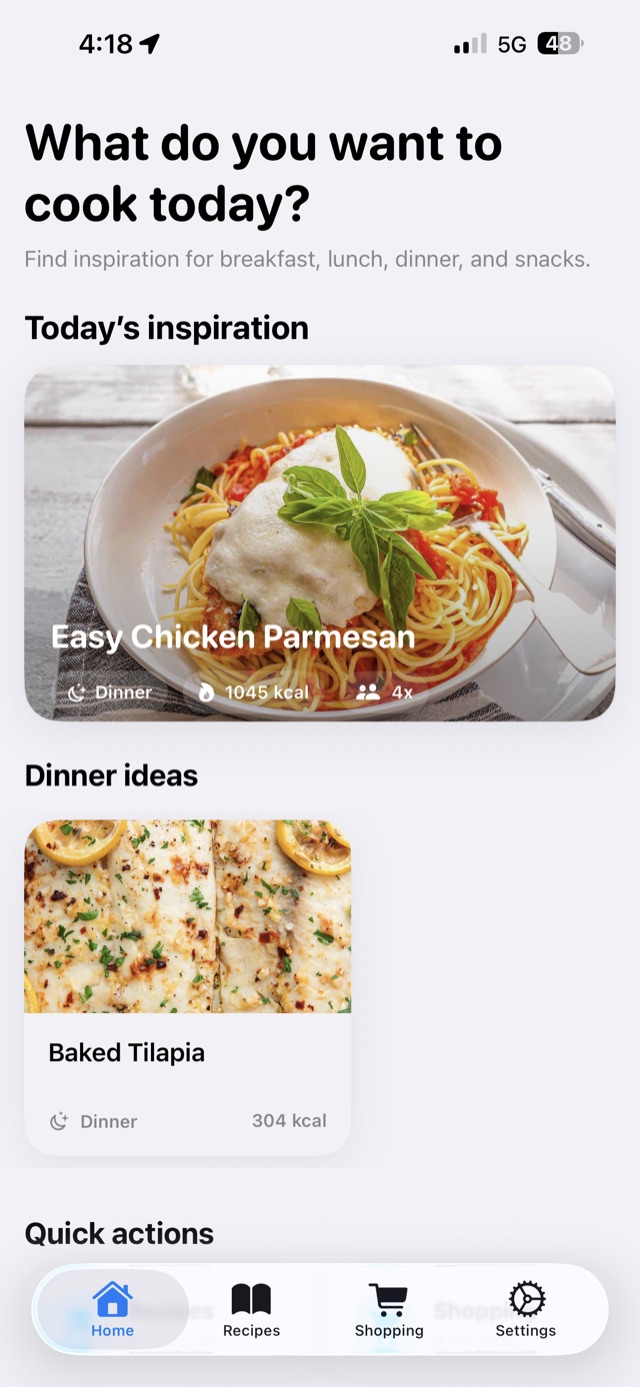
Home
Features
Find meal suggestions from your own recipe collection based on the time of day.
Paste a supported recipe URL to extract available ingredients, instructions, a cover photo and nutrition information.
Adjust servings and scale stored ingredients and nutrition values. Rate meals and keep track of when you last ate or cooked them.
Generate shopping lists from selected recipes with serving-adjusted quantities.
Start with recipe importing and organization. A one-time Premium purchase adds more recipe capacity, iCloud sync and recipe-generated shopping lists.
Pricing
Prices are based on your selected App Store region and may change at any time. Website prices may not be up to date. Always check the current price shown in the app before purchasing.
Highlights
Breakfast ideas in the morning, dinner inspiration at night — automatically.
Import available ingredients, steps and a photo from supported recipe pages, then review the details.
With Premium, generate a shopping list from selected recipes and adjust quantities for your servings.
How it works
Paste a supported recipe URL or add a recipe manually with ingredients, steps and nutrition information.
Check the imported details, edit what you need, add a photo, and save.
Follow the steps, log when you cook it, and rate the meal for future reference.
With Premium, choose recipes and servings to generate a shopping list you can check off.
Filter, sort, and search your recipes. Your collection grows with you.
About
PulseRecipes helps you import supported recipes, organize your collection, adjust servings, rate meals and record meal history. Lifetime Premium adds more recipe capacity, iCloud sync and recipe-generated shopping lists. Import results depend on the source page; review imported ingredients and nutrition before use.
Pulse Recipes is designed to work locally on your device. We do not collect, store, or share personal information. Premium users can enable iCloud sync to keep recipes available across devices.
Your recipes, ingredients, and meal data stay on your device. We do not use ad networks or external tracking tools.
Pulse Recipes is provided for informational purposes only and does not constitute nutritional or medical advice.
Always consult a qualified professional for dietary guidance. You remain fully responsible for your own food choices.
Change log
Contact