Find physical release matches.
Scan albums against Discogs data to find matching vinyl and CD releases where available.
PulseVinyl
Scan your Apple Music library for matching vinyl and CD releases. Keep track of what you own and want, and view estimated collection values where data is available.
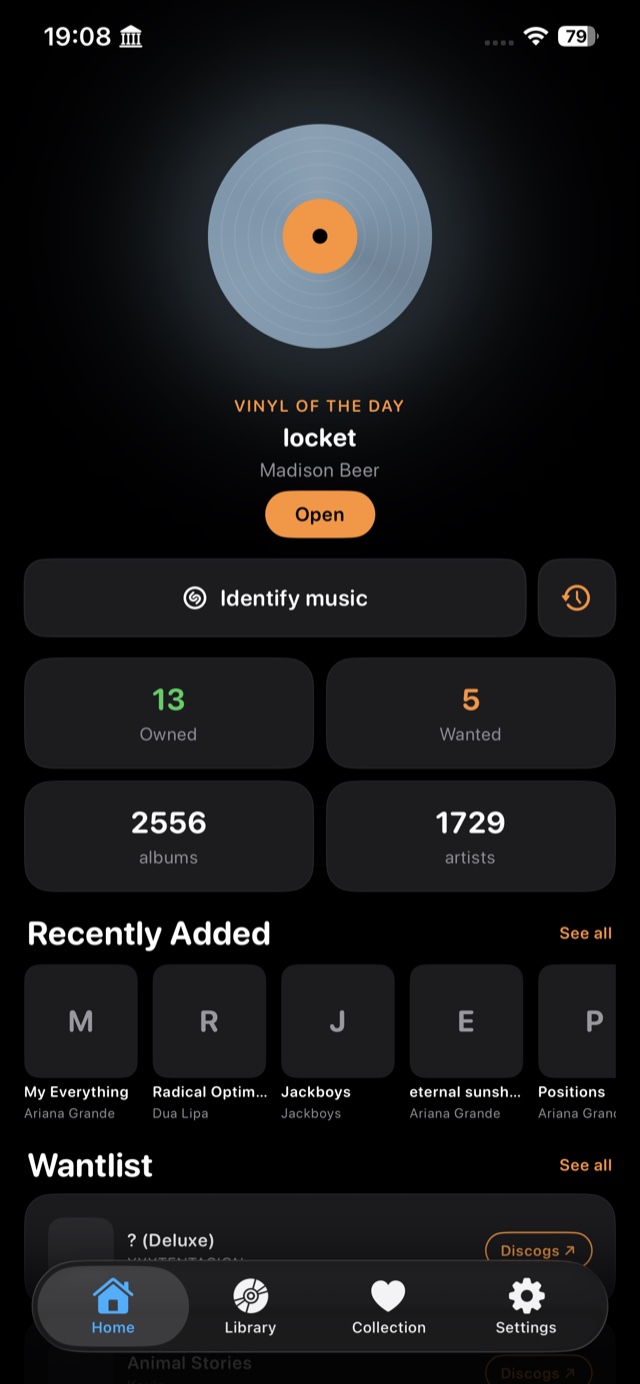
Home
Features
Scan albums in your Apple Music library for matching vinyl and CD releases using Discogs data.
Keep separate lists of records you own and want.
Look up physical releases by barcode and review available matches.
Identify nearby music with Shazam and check physical releases for the single and its album.
See estimated item and collection values where Discogs pricing data is available.
Explore Release Radar for music discoveries.
Export your collection as a CSV file for use in a spreadsheet.
Sync your collection across your devices with iCloud and add Home Screen widgets.
Pricing
Free
Monthly
Yearly
Lifetime
Prices are based on your selected App Store region and may change at any time. Website prices may not be up to date. Always check the current price shown in the app before purchasing.
Highlights
Scan albums against Discogs data to find matching vinyl and CD releases where available.
Values depend on available Discogs pricing data and are not guaranteed resale prices.
Explore Release Radar for music discoveries.
How it works
Grant read access to your Apple Music library — no separate PulseOS account or login required.
PulseVinyl checks each album in your library against the Discogs database to find vinyl and CD releases.
Mark albums as owned or wanted within your plan limits, and track your collection over time.
Powered by Discogs
PulseVinyl uses the Discogs API to find vinyl and CD release matches, look up barcodes, and estimate collection value where data is available. You can optionally connect your own Discogs account — this is used only for those lookups, not to sync or upload your PulseVinyl collection to Discogs.
Discogs Developer Settings →PulseVinyl has no ads, behavioural tracking or third-party analytics. We don't sell your data or use it for marketing. Your collection is stored on your device and synced through your private iCloud account.
PulseVinyl contains no advertising networks or behavioural tracking tools.
Owned and wanted records, notes and collection details are stored locally and synced through your private iCloud database.
Apple Music access is used only to read the album and artist information required for PulseVinyl's features.
Album titles, artist names, barcodes or release IDs may be sent directly to Discogs or MusicBrainz when needed to identify a record. These services process requests under their own privacy policies.
When identifying music, the microphone is active only during recognition. Audio is not stored by PulseVinyl. ShazamKit converts captured audio into a one-way acoustic signature and does not share the original audio with Apple.
Read more in the privacy policies of Apple, Discogs, and MusicBrainz. PulseOS doesn't run its own user-profile or analytics database, and we can't browse your music library or collection — see the full Privacy Policy for details.
About
PulseVinyl finds vinyl and CD release matches for albums in your Apple Music library using Discogs. Track Owned and Wanted records, use barcode and music recognition, and view estimated collection values where data is available. Release matches do not guarantee shop stock. Pro adds more collection capacity and CSV export.
PulseVinyl connects to Apple Music using on-device permissions, and your collection is stored on your device and synced through your private iCloud account — PulseOS doesn't store it on our servers. See Privacy by design above for the full picture, including what Discogs, MusicBrainz and ShazamKit are used for.
Change log
Contact