Open PulseWiish
Launch the app and choose your list — or create a new one.
PulseWiish
Save wishes from supported links, photos or text. Organize them in lists and review product details before saving.
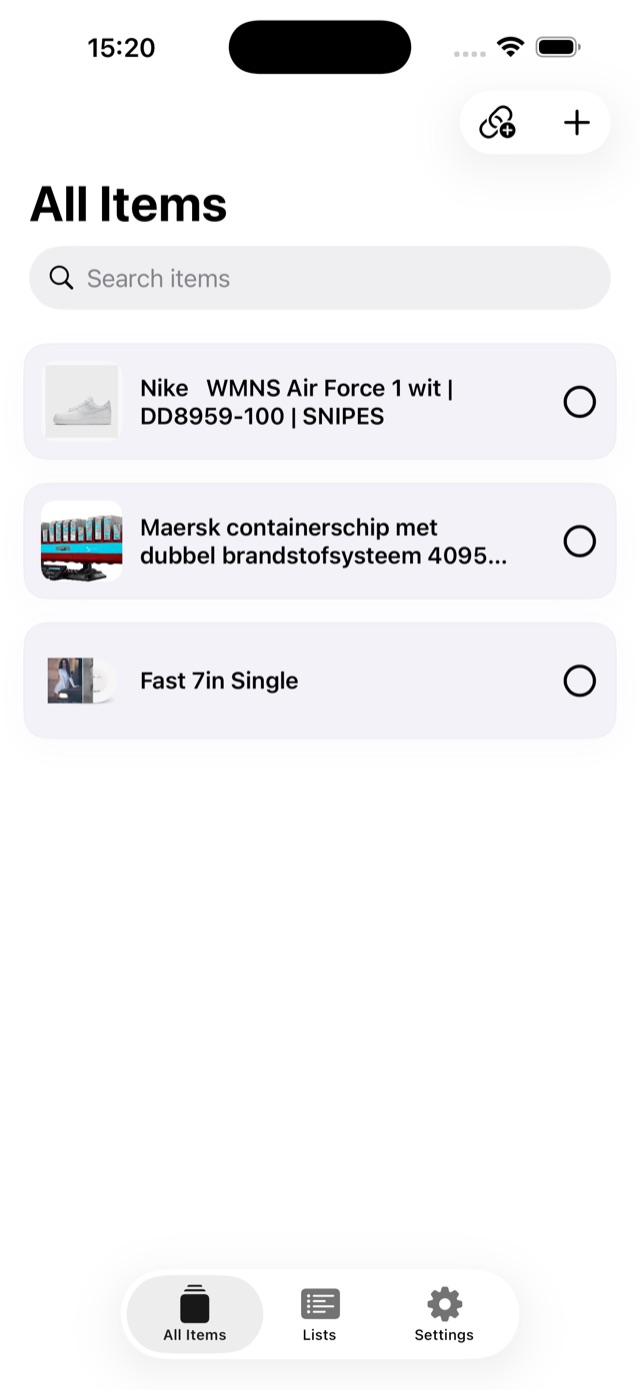
All Items
Features
Import available product details from supported product pages, then review or edit the result.
Use a photo or screenshot to add a wish, then review its details.
Save a wish without a product link, using a title, price and notes.
Organize wishes in multiple lists and categories.
Pricing
Prices are based on your selected App Store region and may change at any time. Website prices may not be up to date. Always check the current price shown in the app before purchasing.
Highlights
Paste a supported product link, add a photo or enter a wish manually, then review the details.
Create as many lists as you need. Categories and priorities are fully yours — we don't push a structure on you.
Start with core wishlist importing and organization. A one-time Premium purchase adds more item capacity. No subscription.
How it works
Launch the app and choose your list — or create a new one.
Paste a link, import a screenshot, or type the name of what you want.
Move items between lists, set priorities, and assign categories.
Mark items as purchased and keep your wishlist up to date.
About
PulseWiish is the wishlist app in the PulseOS ecosystem. Add anything you want — via link, photo, or text — and organize it in clean, customizable lists.
Built for people who want a simple place to capture what they want, without the noise of social features or subscriptions.
Read the PulseOS Privacy Policy for information about data use and privacy.
PulseWiish is provided for personal wishlist management only. We do not guarantee price accuracy or product availability for imported items.
You remain fully responsible for any purchases made. External links open third-party websites outside our control.
Change log
Contact